macVCR

macVCR
License:
Trial version
Language:
English
Developer:
Developer's website
OS:
Mac OS X
Updated:
See detailed info

Softonic review

Nick Mead

“Complete screen capture tool”

by Nick Mead about macVCR

Screenshot tools come in all shapes and sizes from the extremely simple point and shoot kind to the all round image and video editing tool in one.

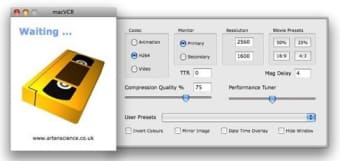
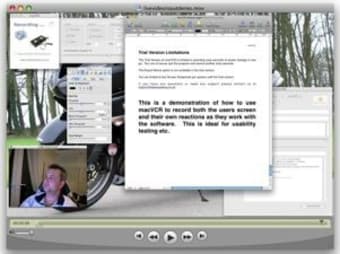
macVCR falls towards the latter end of this spectrum allowing you to record everything you see on the screen and output it directly to QuickTime format. Unlike many other such tools however, macVCR doesn't require any installation and you just simply double click the macVCR Icon to launch it. As soon as it's running, it's recording everything that happens on your screen including mouse movements and webcam activity.

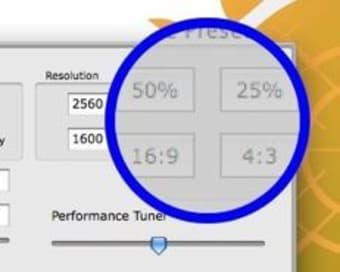
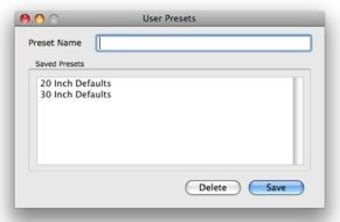
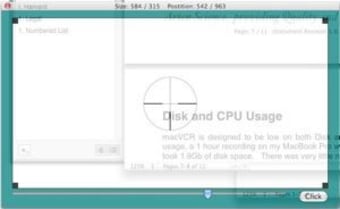
You have a high degree of control over the codecs you want to use, the number of frames per second, the level of video compression, or the resolution and duration of the screencast. You've also got a limited number of annotation tools which allow you to draw objects on the screen or expand a small area of the desktop. If you have two monitors, it will also support use across both screens which is quite unusual for a screenshot tool. In addition, if you're not a big QuickTime fan, it will also permit you to output videos to Windows Media, iPhone, Apple TV, AVI etc.

macVCR does take some time to master as it's packed with so many advanced options and features but if you stick with it, you'll have a very powerful and lightweight screen capture tool.

Pros
  • Allows lots of customization
  • Outputs to several video formats
  • Requires no installation
Cons
  • Takes a while to learn
  • Too complex for simple screenshots
  • Not enough annotation options
Download macVCR 2.8.1

macVCR is virus free

We have analyzed the latest version of macVCR with 30 antivirus engines and it is virus free. See analysis results.

TESTED VIRUS FREE - Softonic GUARANTEED

Review and rate macVCR

Your avatar

Your opinion is important.
Help other users - be the first to review this program.

Review
  1. Maximum: 75 characters

  2. See example

Pros and Cons
Rate
  1. What rating would you give macVCR?

    You need to fill in all fields

    • Usability:

      Not rated
    • Stability:

      Not rated
    • Installation:

      Not rated
    • Functionality:

      Not rated
    • Appearance:

      Not rated
    • Overall rating:

      Not rated
  2. Don't worry, we won't make your email address public.

You're not allowed to share serial numbers, cracks, etc. or link to pages that contain them. If you do, your user account will be deleted, your IP address logged and legal action will be taken.

Get started - just ask a question!

Write a title for your question.

Alternativesto macVCR

  • In English:
    Sharpshooter
    Sharpshooter

    Rename and organize your screenshots

    Softonic rating:
    • 7/10
    User rating:
    • 10/10
  • Free:
    HotBox
    HotBox

    Make anything full screen

    Softonic rating:
    • 9/10
    User rating:
    • 10/10
Compare with macVCR
Download rank: Screen Capture

8 of 26

Softonic rating:
  • Not bad
  • 6/10
User rating: (2 ratings)
  • Excellent
  • 10/10
Your rating:
Your rating
  • 0

Review and rate this program

Top Downloads: Screen Capture

  • United States
  • Global

  1. Manage all of your screenshots

Reviews of macVCR in other languages